Lands at your cursor
Any app with a text field. Without Accessibility, it copies for ⌘V.
Press a shortcut, talk, and your words land at the cursor.
A scripted demo. No microphone or network is used. Press the keys below or Control Option Space to start and stop.
Tests pass on main. What next?
Any app with a text field. Without Accessibility, it copies for ⌘V.
Press, talk, press again. Change it anytime.
It pastes. You review and send.
Reuses the Codex CLI session. No API key.
Copy a transcript again, or delete it.
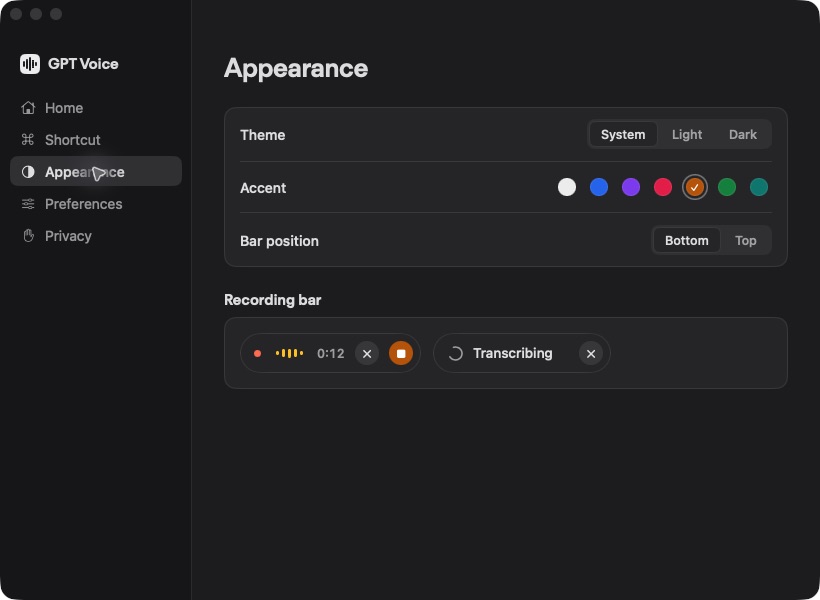
Light, dark and seven accents. Try one.
Out of the way until you need it.
Built after moving from the Codex app to T3 Code and missing ChatGPT dictation.
The film isn't available right now.
Staged demo with synthetic speech by ElevenLabs · Keyboard footage: Designed by Magnific · All media credits
Install Codex CLI, then run codex login.
Open the DMG and drag GPT Voice to Applications. Then allow the microphone and Accessibility. Quit GPT Voice before updating.
Build from source while the download is prepared.
Talk, then press it again.
If macOS shows a verification warning, ignore it and open System Settings → Privacy & Security → Open Anyway. You can also build from source.
No. It reuses the file-backed ChatGPT session from Codex CLI.
To ChatGPT for transcription, over a private route that can change. Recordings are temporary files on your Mac. There's no offline mode.
Access depends on your ChatGPT account. Limits can vary, and this private route can change.
macOS 13 or later, Apple Silicon and Intel. One download covers both.