
Guides
Dashboard
A live wall of every device, with direct control and lane management.
simfleet serve hosts the dashboard at http://127.0.0.1:8790. Click the menu-bar icon to open it in your default browser.
Views
| View | Shows |
|---|---|
| Devices | Every simulator and emulator as a live tile: state, memory footprint, slim status, lane, and attached agents. Filter by platform, state, or name. |
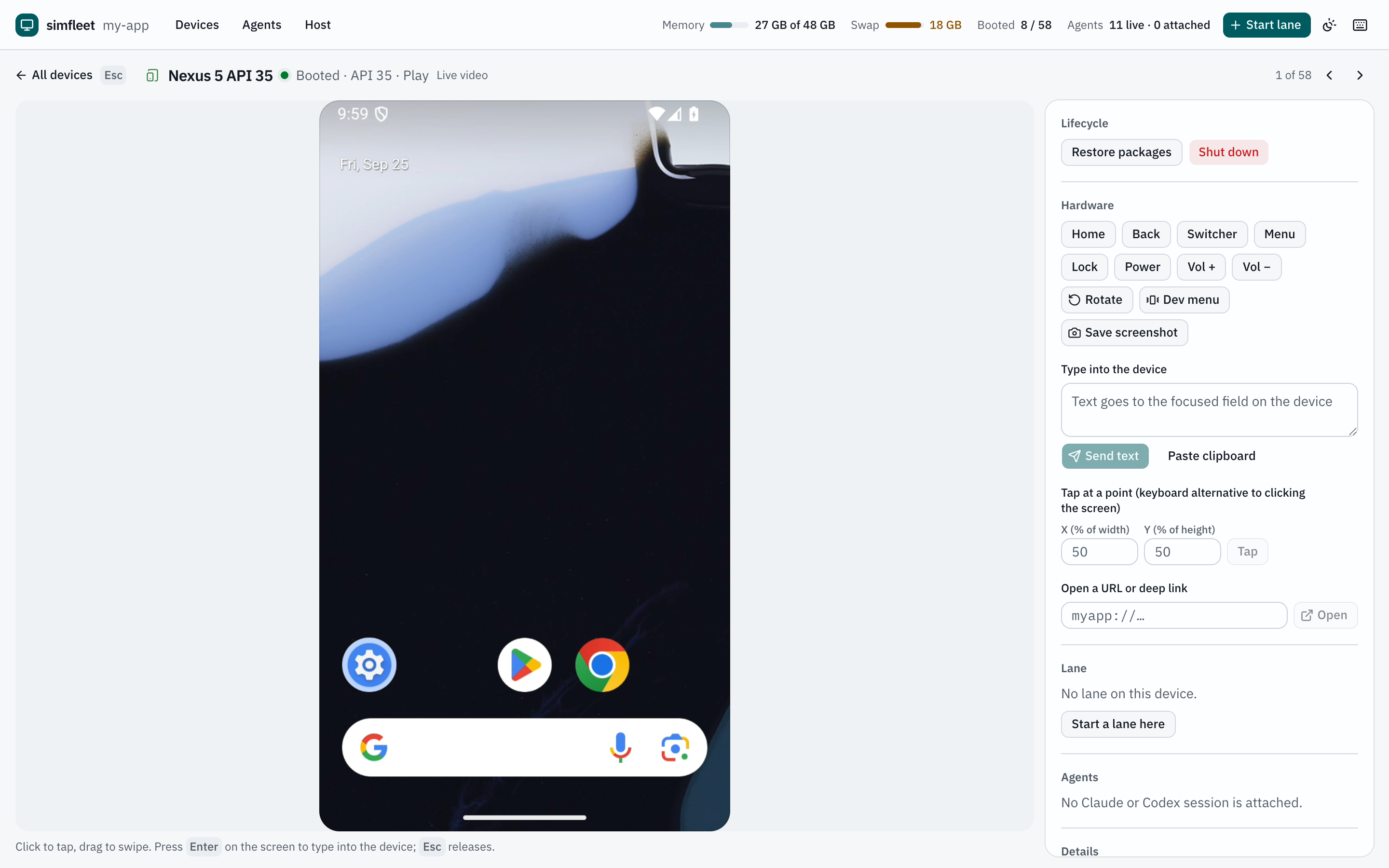
| Focus | One device, large and controllable, with an inspector for lifecycle, hardware buttons, text entry, deep links, lane controls, and details. |
| Agents | Live Claude Code and Codex sessions and the devices each one is attached to. |
| Host | Memory and swap, Metro listeners, and the largest processes. |
Controlling a device
Open a device and interact with its screen:
- Click to tap, drag to swipe, scroll to scroll.
- Press Enter to take control of the keyboard; keys and text go to the device. Esc releases it.
- Android devices take raw touch down/move/up over the video socket, so drags track the pointer. iOS input goes through Baguette.
Streaming
| Platform | Transport |
|---|---|
| iOS | MJPEG frames over a WebSocket from Baguette. Tiles stream at a few frames per second; the focused device at 30 fps. |
| Android | H.264 from scrcpy's device server, decoded in the browser with WebCodecs. Frames are sent only when the screen changes. One encoder session is shared by every viewer. |
Tiles that scroll out of view pause their stream. If scrcpy or WebCodecs is unavailable, Android tiles fall back to polling screenshots.
Keyboard shortcuts
Press ? in the dashboard for the full list.
| Keys | Action |
|---|---|
| 1 2 3 | Devices, Agents, Host |
| / | Search devices |
| n | Start a lane |
| t | Cycle theme |
| Arrow keys, Enter | Move between tiles, open one |
| [ ] | Smaller or larger tiles |
| Esc | Close, release control, or go back |
Menu-bar icon
The icon starts with simfleet serve; disable it with --no-tray or SIM_FLEET_TRAY=0, or run it alone with simfleet tray. Left-click opens the dashboard; right-click lists running devices and their agents. It is a small Swift helper compiled with swiftc on first use and cached in ~/Library/Caches/simfleet.
Note
The dashboard follows your system light or dark theme and is fully keyboard and screen-reader accessible. After you upgrade simfleet, open tabs reload themselves.